
How to Register and Create a CD22 Game Account?
Creating an account on the CD22 Game is quick and simple. Follow these easy steps to get started.
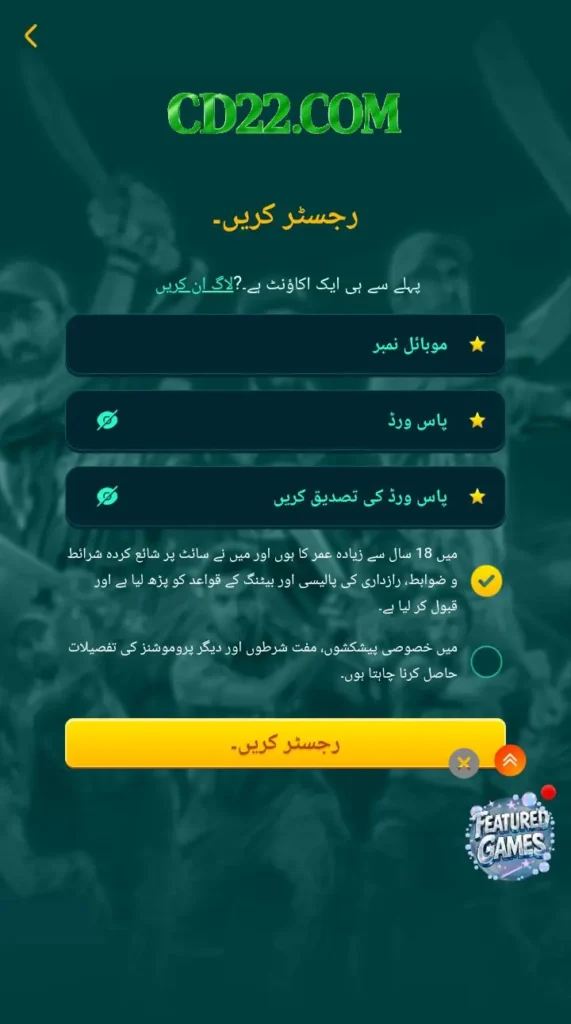
Open the CD22 Game App
After installing the app, tap the CD22 Game icon on your phone to open it.
Tap on Register
On the home screen, you will see the Register or Sign Up button. Tap on it.
Enter Your Details
Fill in the required information, such as:
- Mobile number or username
- Password
Make sure you enter the details correctly.
Verify Your Account
You may receive a verification code on your mobile number. Enter the code in the app to confirm your account.
Complete Registration
Tap on the Submit or Register button. Your account will be created.
Log In and Start Using the App
Now use your username/mobile number and password to log in and start exploring the games in CD22.